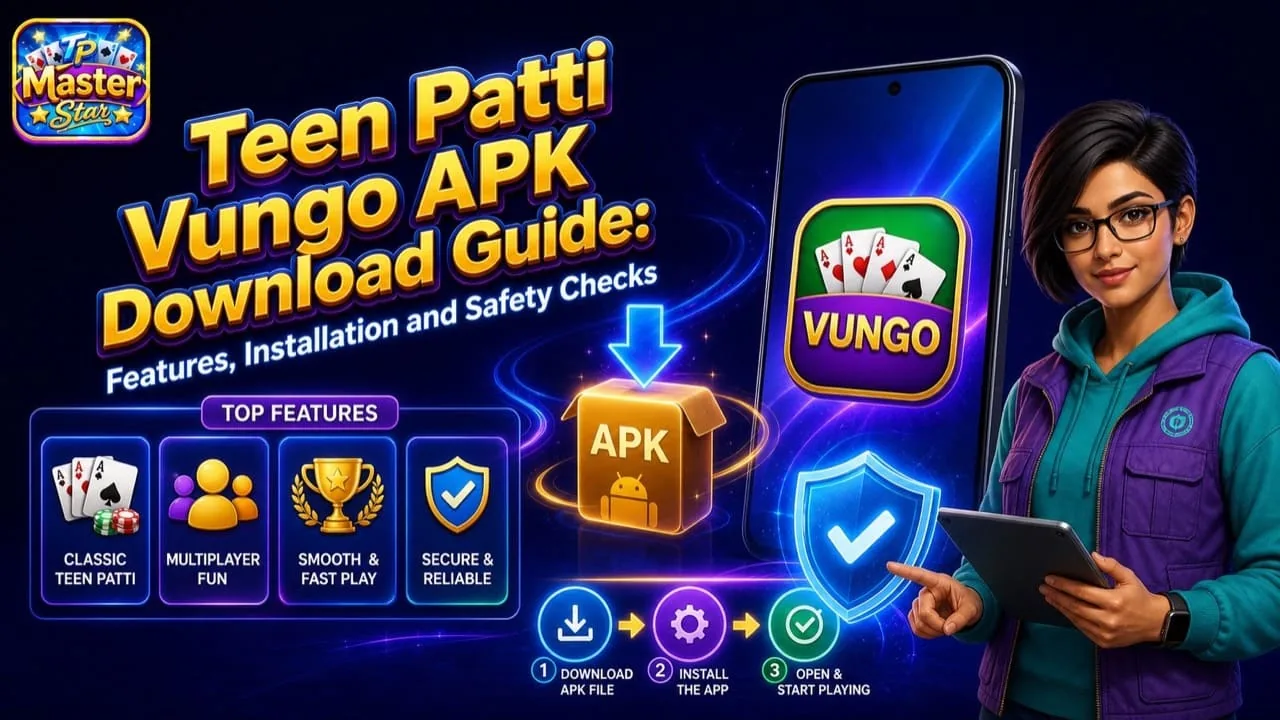
Teen Patti Vungo APK is associated with Android card games that claim to offer classic Teen Patti, virtual chips, and multiplayer entertainment. The difficulty is that public pages connect the Teen Patti Vungo name to different developers and Android package names.
This means users cannot determine whether a file is authentic from its title or icon. The publisher, package identifier, update history, privacy policy, and file source must all be checked before installation. When no reliable developer-controlled source can be confirmed, the safest decision is not to download the APK.
What Is Teen Patti Vungo?
Teen Patti Vungo is generally presented as a digital adaptation of the traditional Indian three-card game. Common descriptions mention standard Teen Patti rounds, online tables, friend invitations, tournaments, daily virtual chips, and occasional offline play.
These features may belong to different versions rather than one continuing product. One Teen Patti Vungo listing may describe a social three-card game, while another package using the same name may contain different casino-style content.
Users should therefore treat “Teen Patti Vungo” as a search term until the exact app identity is confirmed.
Features That Require Verification
A credible app page should describe its current features without relying on vague claims such as “best game,” “instant income,” or “guaranteed rewards.”
| Feature | What users should confirm |
|---|---|
| Classic Teen Patti | Uses the recognized six-hand ranking system |
| Multiplayer | Connects to active tables with a stated matchmaking policy |
| Private rooms | Allows verified invitations rather than unknown links |
| Offline mode | Clearly identifies computer-controlled opponents |
| Virtual chips | Explains whether chips have any cash value |
| Tournaments | States entry requirements and reward conditions |
| Languages | Lists the languages supported by the current build |
A historical feature description does not prove that current servers or game modes remain available.
Why Multiple Package Names Matter
Android identifies an application by its package name. Two files can display the same Teen Patti Vungo title while belonging to entirely different developers.
A changed package name may indicate a legitimate new application, but it may also signal an imitation or repackaged file. Installing a package without checking its identity can expose the device to intrusive advertising, unauthorized payments, or data theft.
A trustworthy publisher should make the package name easy to confirm. The same identity should appear consistently across the official website, privacy policy, app listing, and installation screen.
Safety Review Before Downloading
The following table provides a practical verification process.
| Check | Safer signal | Warning signal |
|---|---|---|
| Website | Publisher-controlled domain | Anonymous APK or link-shortening page |
| Connection | HTTPS with consistent branding | Redirects across unrelated domains |
| Developer | Named company with support details | No legal identity |
| Version | Specific version and update date | “Latest today” with no history |
| Package | Consistent Android identifier | Different package shown at installation |
| Privacy policy | Explains collection and deletion | Copied, missing, or unrelated policy |
| Rewards | Clear virtual or cash terms | Guaranteed-profit claims |
| Permissions | Limited to necessary functions | SMS, accessibility, or device control |
No single check guarantees safety. Several consistent signals are needed before trusting the file.
How to Download and Install the APK
First, locate a verified publisher-controlled source. Do not use shortened links, messaging-group files, pop-up advertisements, or pages that automatically begin multiple downloads.
Second, compare the downloaded filename, version, package, and size with the publisher’s information. Cancel the installation if any of these details are inconsistent.
Third, keep Google Play Protect active. Android may warn that APK files can be harmful because they are being installed outside the store. If Play Protect identifies the file as harmful, delete it rather than bypassing the warning.
Fourth, grant “Install unknown apps” permission only to the browser or file manager used for the verified file. Open the APK and review the installation details before selecting Install.
Finally, remove the unknown-source permission after setup. Leaving it enabled creates unnecessary exposure to future downloads.
Permission and Privacy Risks
A multiplayer card game may require internet access and notifications. Optional voice chat may justify microphone permission while that feature is active.
Access to SMS messages, contacts, call logs, precise location, accessibility services, or device administration is more difficult to justify. The app should explain why each sensitive permission is needed.
An application should never request a banking PIN, card password, account-recovery code, or payment OTP. It should also not ask users to share their screens with an unknown support agent.
Uninstall the app if it begins installing additional software, displaying persistent full-screen ads, or redirecting payments to personal accounts.
Virtual Chips and Bonus Claims
Virtual chips are digital game items used to enter tables and simulate betting. The presence of a wallet, chip balance, or daily bonus does not mean that the balance can be withdrawn.
Before making any payment, check whether purchases provide virtual entertainment items or access to real-money play. Real-money services require much stronger verification, including a legal operator, regional authorization, payment terms, identity checks, and responsible-play controls.
Anonymous screenshots and testimonials do not establish that withdrawals are reliable. Claims of fixed daily earnings or guaranteed profits are major warning signs.
Common Installation Problems
A Teen Patti Vungo APK may fail because the file is damaged, incompatible with the device, signed differently from an existing installation, or blocked by Android security.
Do not solve these problems by downloading multiple files from unknown sources. Check the Android requirement and package identity instead. If an old version no longer connects to its servers, installing another copy of the same release will not restore the service.
Risk Warning and Responsible Play
Sideloading can expose a device to malware, credential theft, and payment fraud. Teen Patti can also cause financial harm if a version involves deposits or paid chips.
Set time and spending limits, never chase losses, and do not use funds required for food, housing, bills, education, or healthcare. Confirm local laws and age restrictions before participating in any paid game.
Frequently Asked Questions
Is Teen Patti Vungo on Google Play?+
A single current Google Play identity could not be confidently established for all packages using the name.
Is the Teen Patti Vungo APK safe?+
The name alone cannot determine safety. The exact file, developer, signature, permissions, and source must be checked.
Can an APK be installed on an iPhone?+
No. APK is an Android application format.
Should Play Protect be disabled?+
No. A warning should be investigated, not bypassed.
Conclusion
Teen Patti Vungo APK should be treated cautiously because several package identities appear under similar names. Verify the publisher, package, privacy policy, version history, and permissions before installation. If those details cannot be confirmed through a reliable developer-controlled source, do not install the file.
Editorial boundary
This independent guide does not certify a third-party app, APK, legal status, payment result or regional eligibility. Product features can change. Verify current publisher-controlled information before installing or paying.
Read our editorial approach →How this guide is checked
Product-specific facts were separated from general Teen Patti rules. Unverified package identities and changing features are labelled instead of presented as guarantees.
Corrections or feedback: support@playtpmaster.com
Read our editorial approach →Scheduled review: This article is scheduled for review every 30 days and sooner after a relevant official Android, product or regulatory update.